Activate Bootstrap for a page or an entire project

1
Click the icon for
Manage frameworks and plugins.
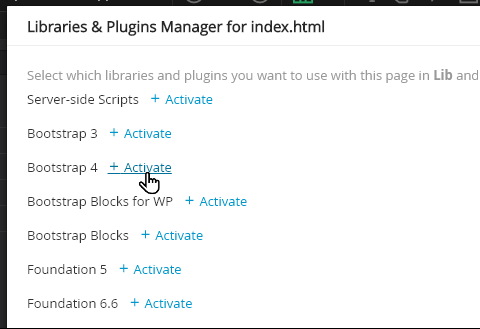
2
Click
+ Activate for the appropriate version of Bootstrap.
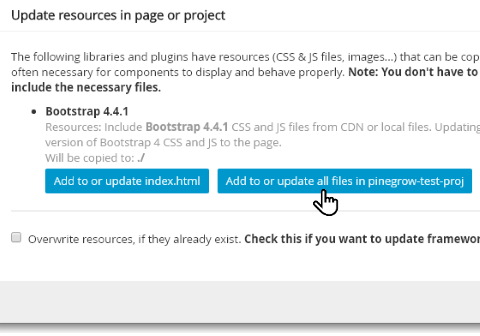
3
Indicate whether you are applying Bootstrap to a single file or across the whole site, and whether you want existing resources to be overwritten.

4
Indicate your preference to use Bootstrap files locally or from a public server. For 100% independence and to be able to work offline, I go local.

5
With the local option, you will see a new file structure in place. The files' code content will be changed and asterisks indicate they need to be saved.
There are plenty of great features that come with Bootstrap to help enhance your website. Tutorials will be added here in the coming weeks (through Summer 2020) to help you harness the power of Bootstrap 4.
In the meantims, next in these resources is a set of CSS Tutorials